INSIDE.BIZ.ID
  • The Basic
    Startup Mistakes to Avoid for Explosive Growth
    The Business Basic

    9 Fatal Startup Mistakes to Avoid for Explosive Growth

    Wibisono Ivan Sugiarto
    By Wibisono Ivan Sugiarto
    23 April 2025
    Business Tips for Beginners
    The Business Basic

    15 Extraordinary Business Tips for Beginners to Boost Profits

    Wibisono Ivan Sugiarto
    By Wibisono Ivan Sugiarto
    21 April 2025
    Genius Strategies on How to Choose a Business Name
    The Business Basic

    7 Genius Strategies on How to Choose a Business Name

    Wibisono Ivan Sugiarto
    By Wibisono Ivan Sugiarto
    19 April 2025
    Steps to Starting an E-Commerce Business in 2025
    The Business Basic

    10 Powerful Steps to Starting an E-Commerce Business in 2025

    Wibisono Ivan Sugiarto
    By Wibisono Ivan Sugiarto
    17 April 2025
  • The Strategy
    Business Growth Strategies
    The Business Strategy

    5 Epic Business Growth Strategies to Dominate Your Industry

    Wibisono Ivan Sugiarto
    By Wibisono Ivan Sugiarto
    26 April 2025
    How to Hire Your First Employee
    The Business Strategy

    Never Fail Again: 5 Tips on How to Hire Your First Employee

    Wibisono Ivan Sugiarto
    By Wibisono Ivan Sugiarto
    22 April 2025
    Branding for Beginners
    The Business Strategy

    Branding for Beginners: 5 Stunning Strategies to Stand Out

    Wibisono Ivan Sugiarto
    By Wibisono Ivan Sugiarto
    20 April 2025
    Business Accounting Basics to Boost Profitability
    The Business Strategy

    10 Powerful Business Accounting Basics to Boost Profitability

    Wibisono Ivan Sugiarto
    By Wibisono Ivan Sugiarto
    18 April 2025
  • Blog
  • Tools
    • Smart Ai Assistant
    • Business Name Generator
    • QR Code Generator
    • Barcode Generator
    • Digital Signature Generator
    • ROI Calculator
  • Newsletter
  • About
  • Contact
  • Privacy
INSIDE.BIZ.IDINSIDE.BIZ.ID
Font ResizerAa
  • The Basic
  • The Strategy
  • Blog
  • Tools
  • Newsletter
  • About
  • Contact
  • Privacy Policy
  • DMCA Notice And Policy
Search
  • Blog
    • The Business Basic
    • The Business Strategy
  • Tools
    • Smart Ai Assistant
    • Barcode Generator
    • Business Name Generator
    • Digital Signature Generator
    • QR Code Generator
    • ROI Calculator
  • More
    • About
    • Privacy Policy
    • Contact
    • Cookie Policy
    • Blog
    • Copyright Policy
    • Newsletter
    • Editorial Policy
    • FAQs
    • Terms & Conditions
    • Write for Us
    • Disclaimer
    • Collaborate with Us
    • DMCA Policy
    • Sitemap

Newsletter

Sign Up For Daily Newsletter

Be keep up! Get Exclusive Insights delivered straight to your inbox!
Newsletter Footer
Checkboxes *
By signing up, you agree to our Terms & Conditions and acknowledge the data practices in our Privacy Policy. You may unsubscribe at any time.

Latest Articles

Never Fail Again: 5 Tips on How to Hire Your First Employee

The Business Strategy
1 May 2025

5 Epic Business Growth Strategies to Dominate Your Industry

The Business Strategy
26 April 2025

9 Fatal Startup Mistakes to Avoid for Explosive Growth

The Business Basic
26 April 2025
Have an existing account? Sign In
Follow US
Copyright © 2024 SpaceMAYA.xyz.
All Rights Reserved.

Built with ♥ by SpaceMAYA Dev
INSIDE.BIZ.ID > Blog > The Business Basic > 10 Powerful Steps to Starting an E-Commerce Business in 2025
The Business Basic

10 Powerful Steps to Starting an E-Commerce Business in 2025

Ready to launch your store? These ten powerful steps will guide your e-commerce success in 2025.

Steps to Starting an E-Commerce Business in 2025
Wibisono Ivan Sugiarto
Last updated: 25 April 2025 01:10
By Wibisono Ivan Sugiarto
Published 17 April 2025
1.1k Views
16 Min Read
SHARE
Key Insights
  • E-commerce offers low startup costs and global market access
  • Digital retail continues to experience exponential growth
  • Strategic planning is key for online business success
  • There are many e-commerce business models for different goals
  • Technology and market trends shape modern online businesses

Steps to Starting an E-Commerce Business in 2025 1

Ready to join the e-commerce revolution? INSIDE.BIZ.ID is here to guide you through every step of your online business journey!

What’s in this article?
How E-Commerce Works—and Why It’s Full of PotentialCurrent Market Trends and OpportunitiesKey Success Factors in E-CommerceIdentifying Your Target Audience and Niche MarketSourcing and Managing Your Product InventoryProduct Selection StrategiesSupplier Relationships and ManagementInventory Control SystemsSelecting the Right E-Commerce PlatformStarting an E-Commerce Business: Legal and Financial RequirementsBusiness Registration and LicensesTax Obligations and CompliancePayment Processing SolutionsDesigning Your Online Store for SuccessSetting Up Shipping and Fulfillment SystemsShipping Strategy DevelopmentFulfillment Options and SolutionsReturns Management ProcessMarketing and Promoting Your E-Commerce StoreIt’s Time to Turn Plans into ProfitFAQWhat is e-commerce and how can I start an online business?How much money do I need to start an e-commerce business?What are the most popular e-commerce business models?How do I choose the right products to sell online?Which e-commerce platform is best for beginners?How can I market my e-commerce store effectively?What legal considerations are important for an e-commerce business?How do I handle shipping and fulfillment for my online store?What are the biggest challenges in starting an e-commerce business?How long does it take to become profitable in e-commerce?

Are you ready to turn your dreams into a real online store? You can start a profitable e-commerce business without spending a lot of money at first.

Welcome to INSIDE.BIZ.ID, your guide to starting an e-commerce business. The online shopping world is growing fast. It’s a great time for entrepreneurs to start their own online stores.

Starting an e-commerce business is more than a trend. It’s a smart way to earn money. With online shopping sales going up, now is the best time to open your online store.

This guide will show you ten key steps to start a successful e-commerce business. It will help you understand the exciting world of online business.

How E-Commerce Works—and Why It’s Full of Potential

Starting an e-commerce business needs a good grasp of the digital market. The online shopping world is growing fast. It offers new chances for entrepreneurs to start and grow their digital businesses.

Today’s e-commerce businesses are different. Each has its own special traits and chances in the market:

  • Business-to-Consumer (B2C): Selling directly to the end customer
  • Business-to-Business (B2B): Selling wholesale and professional services
  • Consumer-to-Consumer (C2C): Platforms for people to sell to each other
  • Direct-to-Consumer (D2C): Brands selling directly to customers without middlemen

Current Market Trends and Opportunities

The e-commerce world is changing a lot. More people are shopping on their phones. New tech like AI and personalization is making online shopping better.

Key Success Factors in E-Commerce

To start a successful e-commerce business, you need a good plan. Important things include:

  1. A website that’s easy to use
  2. A site that works well on phones
  3. Great customer service
  4. Strong online marketing plans

“The future of retail is digital, and the time to start your e-commerce business is now.” – Industry Expert

Knowing these basics will help you in the world of online business. It will help you build a strong e-commerce business.

Identifying Your Target Audience and Niche Market

How To Find Your Target Audience | Target Market Research

Starting an e-commerce business means knowing your audience well. The online world is full of people, but finding the right ones is key. It helps you stand out and get the customers you want.


Related Insights

Starting a Small Business Guide
The Ultimate Starting a Small Business Guide in 10 Easy Steps
Business Tips for Beginners
15 Extraordinary Business Tips for Beginners to Boost Profits
Startup Mistakes to Avoid for Explosive Growth
9 Fatal Startup Mistakes to Avoid for Explosive Growth

There are a few important steps to find your audience:

  • Do lots of market research
  • Make detailed customer profiles
  • Look at who they are and what they like
  • Find special areas with less competition

Your online store needs to know what customers like and need. Use tools like Google Trends and social media to learn about your market. Also, ask customers what they think.

“Know your customer better than they know themselves” – Successful E-commerce Entrepreneurs

Finding the right niche is important. Look for areas that need something special. For example, green outdoor gear or fitness stuff for older people are good choices.

Think about these things when picking a niche:

  1. Do you love and know a lot about the product?
  2. Is there a demand for it?
  3. Can it grow big?
  4. Is it competitive?

By really getting to know your audience, you’ll build a strong base for your online store. This will help you succeed in the online world.

Sourcing and Managing Your Product Inventory
Steps to Starting an E-Commerce Business in 2025 2

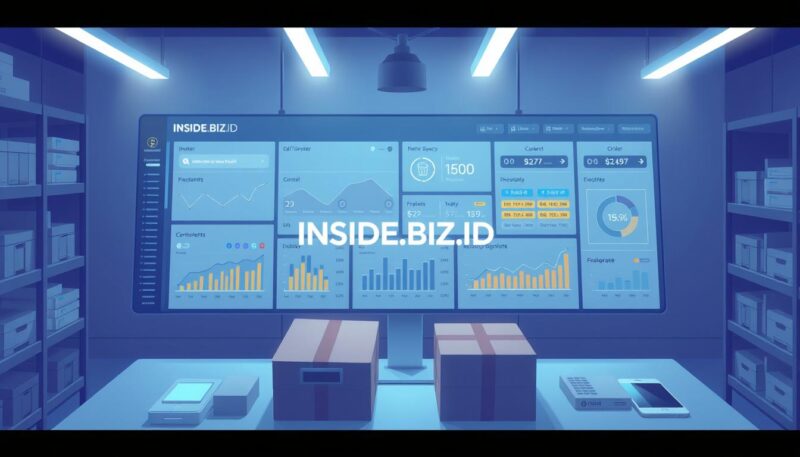
Running a successful e-commerce business needs smart product finding and keeping track of stock. Choosing the right products and managing stock well can help your online store succeed.

Good stock management starts with knowing your market and picking products your customers will like. Here are some tips to help you build a strong e-commerce stock.

Product Selection Strategies

When picking products for your e-commerce, remember these important steps:

  • Do deep market research
  • Look at what your competitors sell
  • Watch for new trends
  • Check how much profit you can make
  • Try small orders to see if people want them

Supplier Relationships and Management

It’s key to have good relationships with your suppliers. Look for vendors who offer:

  1. Good product quality
  2. Fast shipping
  3. Good prices
  4. Flexibility with how much you order

“Your suppliers are partners in your e-commerce success” – Retail Expert

Inventory Control Systems

Using a strong inventory system helps avoid problems like running out of stock or having too much. Here are some ways to manage your stock:

Technique Benefits
Just-in-Time Inventory Reduces storage costs
Demand Forecasting Minimizes excess stock
Automated Tracking Real-time inventory insights

By using these stock management tips, you’ll lay a strong base for your e-commerce business to grow.

Selecting the Right E-Commerce Platform

How to Choose the Best Ecommerce Platform for Your Business

Related Insights

Starting a Small Business Guide
The Ultimate Starting a Small Business Guide in 10 Easy Steps
Business Tips for Beginners
15 Extraordinary Business Tips for Beginners to Boost Profits
Startup Mistakes to Avoid for Explosive Growth
9 Fatal Startup Mistakes to Avoid for Explosive Growth

Choosing the right platform is key when starting an e-commerce business. Your platform is the base of your online store. It affects how customers shop and how you run your business.

Several important factors should help you pick a platform:

  • Budget constraints
  • Technical skill level
  • Scalability
  • Integration capabilities
  • Customization options

Many e-commerce platforms have strengths for different needs. Let’s look at some top picks:

Platform Best For Starting Cost Ease of Use
Shopify Small to Medium Businesses $29/month Beginner-Friendly
WooCommerce WordPress Sites Free Plugin Technical Users
BigCommerce Growing Enterprises $39/month Advanced Features

Your platform should match your skills, budget, and goals. Do your research and test platforms before deciding.

“The right e-commerce platform turns your digital store into a powerful business tool.” – E-Commerce Experts

Your platform affects everything from how products look to how you take payments. Take time to think about what you need. Choose a platform that will help your business grow.

Starting an E-Commerce Business: Legal and Financial Requirements

Steps to Starting an E-Commerce Business in 2025 3

Starting an e-commerce business is a big step. You need to know the legal and financial rules. This helps keep your business safe and growing.

When you start an e-commerce business, you face many legal and financial tasks:

Business Registration and Licenses

Getting your business set up legally is important. You must:

  • Choose a business type (LLC, sole proprietorship, corporation)
  • Register with state authorities
  • Get local and state business licenses
  • Get a federal Employer Identification Number (EIN)

Tax Obligations and Compliance

Managing taxes is key for any e-commerce business. You should:

  1. Know sales tax rules in different states
  2. Keep track of online sales and digital deals
  3. Keep accurate financial records
  4. Get advice from a tax expert for e-commerce

Payment Processing Solutions

Picking the right payment platform is vital. Look at these things when choosing:

  • Transaction fees and how they’re charged
  • Security and fraud protection
  • If it works with your e-commerce site
  • What your customers like to pay with

By tackling these legal and financial steps, you build a strong base for your e-commerce business. Good planning reduces risks and helps your business grow over time.

Designing Your Online Store for Success
Steps to Starting an E-Commerce Business in 2025 4

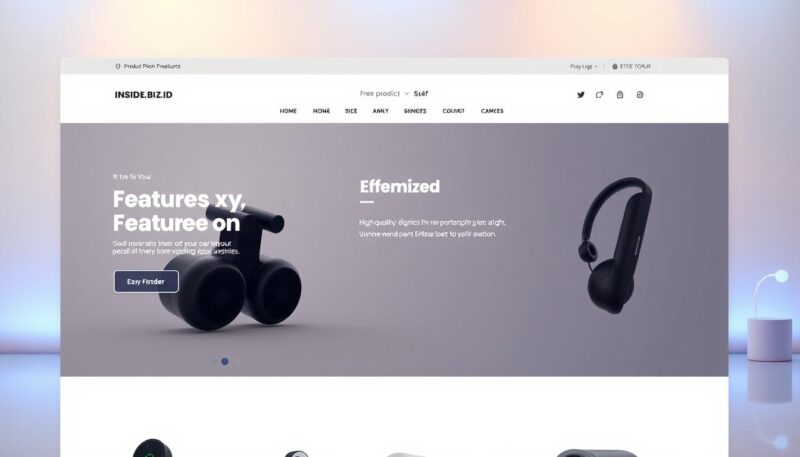
Creating a great e-commerce website is key to keeping customers. Your store’s design can greatly affect how users feel and how many buy. It’s all about making your site easy to use and fun to shop on.

Here are some important design tips to make your e-commerce site better:

  • Create a clean, easy-to-use navigation
  • Use high-quality product images
  • Make sure it works well on phones
  • Make the checkout process simple

How your site looks is very important in e-commerce. It should show you’re professional and trustworthy. Use:

  1. Consistent colors
  2. Professional fonts
  3. Enough white space
  4. Creative ways to show off products
Design Element User Impact Conversion Rate
Clear Navigation Improved User Experience +25% Engagement
Fast Loading Lower Bounce Rate +20% Retention
Mobile Optimization More People Can Shop +30% Mobile Sales

Remember, your e-commerce website is your digital storefront. Spend time making it user-friendly and good-looking. It should show off your brand’s unique style.

Setting Up Shipping and Fulfillment Systems

Steps to Starting an E-Commerce Business in 2025 5

Starting an e-commerce business means setting up a strong shipping and fulfillment plan. This plan is key for happy customers and a successful business. How you ship goods can greatly affect your business’s success and customer happiness.

Shipping Strategy Development

Creating a good shipping strategy takes a lot of thought. You need to:

  • Look at shipping costs and how you price them
  • Choose reliable shipping companies
  • Figure out shipping zones and how long it takes to get there
  • Think about when to offer free shipping

Fulfillment Options and Solutions

There are many ways to handle fulfillment in e-commerce:

  1. In-house fulfillment: You have full control but it’s more complicated
  2. Dropshipping: You don’t have to keep much stock, but you make less money
  3. Third-party logistics (3PL): You outsource shipping and get expert help

Returns Management Process

Having a clear returns policy can turn unhappy customers into loyal ones. Your returns process should be:

  • Easy to understand
  • Simple and friendly for customers
  • Good for your business too

“A well-designed returns process can increase customer loyalty and repeat purchases.” – Retail Shipping Expert

By setting up smart shipping and fulfillment systems, you’ll stand out in e-commerce. This will make customers want to come back.

Marketing and Promoting Your E-Commerce Store

Steps to Starting an E-Commerce Business in 2025 6

Starting an e-commerce business needs a strong marketing plan. It’s not just about ads anymore. Digital marketing is key to getting and keeping customers in a tough market.

Your marketing plan should use many ways to get seen and talked about. Here are some important steps:

  • Search Engine Optimization (SEO) to improve organic visibility
  • Targeted social media advertising
  • Email marketing campaigns
  • Influencer partnerships
  • Content marketing

Social media is a big help for online stores. Instagram and Facebook let you target people just right. Visual storytelling makes your brand stand out and gets people talking.

Email marketing is also a smart choice. Make emails that speak to your audience. Send reminders, special deals, and product tips to get more sales.

Data-driven marketing is the key to e-commerce success in 2025.

Use tools like Google Analytics to see how well you’re doing. They show you what customers like and help you improve. This way, you can spend your money wisely.

Good e-commerce marketing is about real connections with people. Be true, share useful stuff, and keep your message clear. This makes you different online.

It’s Time to Turn Plans into Profit

Starting an e-commerce business needs careful planning and hard work. You go from an idea to a real online store. This journey is full of important steps.

The world of digital shopping is full of chances for new entrepreneurs. It’s a place where you can make a big impact.

To succeed, you must know the market, pick the right products, and give great customer service. This guide helps you understand online retail better. INSIDE.BIZ.ID is here to help with useful tips and tools.

Technology and how people shop are always changing. Being able to change with these changes is key. Your business will stand out if you keep up with new ideas and improve your site.

FAQ

What is e-commerce and how can I start an online business?

E-commerce means buying and selling things online. To start, pick a niche, find products, and choose a platform. INSIDE.BIZ.ID can help with each step.

How much money do I need to start an e-commerce business?

Starting an e-commerce business can cost little. You might need $500-$5,000. This covers website, products, marketing, and fees. Dropshipping and print-on-demand can lower costs.

What are the most popular e-commerce business models?

Popular models are B2C, B2B, C2C, and D2C. Each has its own benefits. Pick the one that fits your products and market.

How do I choose the right products to sell online?

Choose products by researching the market and trends. Look for high profit margins and demand. Use Google Trends and social media to help.

Which e-commerce platform is best for beginners?

Shopify, WooCommerce, and BigCommerce are great for beginners. They’re easy to use and offer support. Choose based on your skills and needs.

How can I market my e-commerce store effectively?

Use SEO, social media, email, content, and influencer marketing. Create valuable content and engage with your audience. Use data to improve your marketing.

What legal considerations are important for an e-commerce business?

Register your business, get licenses, and understand taxes. Follow data protection laws and have clear policies. A lawyer can help with compliance.

How do I handle shipping and fulfillment for my online store?

You can ship yourself, use dropshipping, or 3PL. Think about your products and customers when choosing. Make shipping clear and smooth.

What are the biggest challenges in starting an e-commerce business?

Challenges include finding a niche, managing inventory, and creating a website. Drive traffic, handle competition, and keep customers happy. Learn and adapt to succeed.

How long does it take to become profitable in e-commerce?

Profit time varies by business. Some see profits in 3-6 months, others in 1-2 years. Keep working, plan, and adapt for success. 


Are you ready to make your e-commerce dream come true? Start by using the tips from this guide. Do your homework on the market and keep up with new trends. For more help, visit INSIDE.BIZ.ID. Begin your journey to a successful online business today!

Yay! 🎉 You made it to the end of the article!

TAGGED:customer servicedigital marketingdropshippinge-commerce analyticse-commerce businesse-commerce business modelse-commerce platformse-commerce SEOinventory managementmobile commerceonline brandingonline business planningonline retailpayment gatewaysproduct sourcingsearch engine optimizationshipping strategiessocial media marketingstarting an online storeuser experience

Sign Up For Daily Newsletter

Be keep up! Get Exclusive Insights delivered straight to your inbox.
Newsletter Article
Checkboxes *
By signing up, you agree to our Terms & Conditions and acknowledge the data practices in our Privacy Policy. You may unsubscribe at any time.
Share This Article
Facebook Whatsapp Whatsapp LinkedIn Reddit Telegram Email Copy Link Print
What do you think?
Love0
Sad0
Happy0
Sleepy0
Angry0
Dead0
Wink0
Wibisono Ivan Sugiarto
ByWibisono Ivan Sugiarto
Senior Editor
Follow:
Hello! I’m Wibisono Ivan Sugiarto, Senior Editor at SENSE.BIZ.ID. I work with people starting their first business and know how confusing it can feel. I aim to make startup for beginners clear, practical, and easy to follow. I focus on sharing what works in plain English. If you're building something new, I’m here to help you stay on track.
Previous Article Best Marketing Strategies for New Businesses to Grow Fast 10 Best Marketing Strategies for New Businesses to Grow Fast
Next Article Business Accounting Basics to Boost Profitability 10 Powerful Business Accounting Basics to Boost Profitability
Leave a Comment

Leave a Reply Cancel reply

Your email address will not be published. Required fields are marked *

Latest Insights

5 Epic Business Growth Strategies to Dominate Your Industry

The Business Strategy
Wibisono Ivan Sugiarto
By Wibisono Ivan Sugiarto
26 April 2025

Never Fail Again: 5 Tips on How to Hire Your First Employee

The Business Strategy
Wibisono Ivan Sugiarto
By Wibisono Ivan Sugiarto
22 April 2025

Branding for Beginners: 5 Stunning Strategies to Stand Out

The Business Strategy
Wibisono Ivan Sugiarto
By Wibisono Ivan Sugiarto
20 April 2025

Related Insights

Business Growth Strategies
The Business Strategy

5 Epic Business Growth Strategies to Dominate Your Industry

Wibisono Ivan Sugiarto
By Wibisono Ivan Sugiarto
26 April 2025
Startup Mistakes to Avoid for Explosive Growth
The Business Basic

9 Fatal Startup Mistakes to Avoid for Explosive Growth

Wibisono Ivan Sugiarto
By Wibisono Ivan Sugiarto
23 April 2025
How to Hire Your First Employee
The Business Strategy

Never Fail Again: 5 Tips on How to Hire Your First Employee

Wibisono Ivan Sugiarto
By Wibisono Ivan Sugiarto
22 April 2025
Business Tips for Beginners
The Business Basic

15 Extraordinary Business Tips for Beginners to Boost Profits

Wibisono Ivan Sugiarto
By Wibisono Ivan Sugiarto
21 April 2025

Get Exclusive Insights to Skyrocket Your Business in Our Newsletter!

Newsletter Footer
Checkboxes *
By signing up, you agree to our Terms & Conditions and acknowledge the data practices in our Privacy Policy. You may unsubscribe at any time.
  • Want to Build a Profitable Business?

    Get step-by-step guidance on launching, funding, and scaling your startup with expert insights and actionable strategies.
  • Limited Access!

    Unlock exclusive resources like startup toolkits, financial templates, and business growth guides, available only to subscribers.
  • Game-Changing Insights!

    Stay ahead with the latest startup trends, success stories, and proven tactics used by thriving entrepreneurs.
  • Your Next Big Idea Starts Here!

    Discover emerging trends, innovative strategies, and new opportunities to turn your ideas into a successful business.
INSIDE.BIZ.ID

Startup for beginners can feel at ease with INSIDE.BIZ.ID. We guide new ideas with care and clear advice.

  • About
  • Contact
  • Blog
  • Tools
  • Newsletter
  • FAQs
  • Write for Us
  • Collaborate with Us
  • Sitemap
  • Privacy Policy
  • Cookie Policy
  • Copyright Policy
  • Editorial Policy
  • Anti-Spam Policy
  • Terms & Conditions
  • Disclaimer
  • DMCA Notice & Policy

Follow Our Socials!

Facebook Instagram X-twitter Youtube
Copyright © 2025 INSIDE.BIZ.ID
All Rights Reserved
Built with ♥ by INSIDE.BIZ.ID

Accessibility

Accessibility modes

Epilepsy Safe Mode
Dampens color and removes blinks
This mode enables people with epilepsy to use the website safely by eliminating the risk of seizures that result from flashing or blinking animations and risky color combinations.
Visually Impaired Mode
Improves website's visuals
This mode adjusts the website for the convenience of users with visual impairments such as Degrading Eyesight, Tunnel Vision, Cataract, Glaucoma, and others.
Cognitive Disability Mode
Helps to focus on specific content
This mode provides different assistive options to help users with cognitive impairments such as Dyslexia, Autism, CVA, and others, to focus on the essential elements of the website more easily.
ADHD Friendly Mode
Reduces distractions and improve focus
This mode helps users with ADHD and Neurodevelopmental disorders to read, browse, and focus on the main website elements more easily while significantly reducing distractions.
Blindness Mode
Allows using the site with your screen-reader
This mode configures the website to be compatible with screen-readers such as JAWS, NVDA, VoiceOver, and TalkBack. A screen-reader is software for blind users that is installed on a computer and smartphone, and websites must be compatible with it.

Online Dictionary

    Readable Experience

    Content Scaling
    Default
    Text Magnifier
    Readable Font
    Dyslexia Friendly
    Highlight Titles
    Highlight Links
    Font Sizing
    Default
    Line Height
    Default
    Letter Spacing
    Default
    Left Aligned
    Center Aligned
    Right Aligned

    Visually Pleasing Experience

    Dark Contrast
    Light Contrast
    Monochrome
    High Contrast
    High Saturation
    Low Saturation
    Adjust Text Colors
    Adjust Title Colors
    Adjust Background Colors

    Easy Orientation

    Mute Sounds
    Hide Images
    Virtual Keyboard
    Reading Guide
    Stop Animations
    Reading Mask
    Highlight Hover
    Highlight Focus
    Big Dark Cursor
    Big Light Cursor
    Cognitive Reading
    Navigation Keys
    Voice Navigation

    INSIDE.BIZ.ID Accessibility Statement

    Accessibility Statement

    • inside.konstrukt.site
    • 16 March 2026

    Compliance status

    We firmly believe that the internet should be available and accessible to anyone, and are committed to providing a website that is accessible to the widest possible audience, regardless of circumstance and ability.

    To fulfill this, we aim to adhere as strictly as possible to the World Wide Web Consortium’s (W3C) Web Content Accessibility Guidelines 2.1 (WCAG 2.1) at the AA level. These guidelines explain how to make web content accessible to people with a wide array of disabilities. Complying with those guidelines helps us ensure that the website is accessible to all people: blind people, people with motor impairments, visual impairment, cognitive disabilities, and more.

    This website utilizes various technologies that are meant to make it as accessible as possible at all times. We utilize an accessibility interface that allows persons with specific disabilities to adjust the website’s UI (user interface) and design it to their personal needs.

    Additionally, the website utilizes an AI-based application that runs in the background and optimizes its accessibility level constantly. This application remediates the website’s HTML, adapts Its functionality and behavior for screen-readers used by the blind users, and for keyboard functions used by individuals with motor impairments.

    If you’ve found a malfunction or have ideas for improvement, we’ll be happy to hear from you. You can reach out to the website’s operators by using the following email

    Screen-reader and keyboard navigation

    Our website implements the ARIA attributes (Accessible Rich Internet Applications) technique, alongside various different behavioral changes, to ensure blind users visiting with screen-readers are able to read, comprehend, and enjoy the website’s functions. As soon as a user with a screen-reader enters your site, they immediately receive a prompt to enter the Screen-Reader Profile so they can browse and operate your site effectively. Here’s how our website covers some of the most important screen-reader requirements, alongside console screenshots of code examples:

    1. Screen-reader optimization: we run a background process that learns the website’s components from top to bottom, to ensure ongoing compliance even when updating the website. In this process, we provide screen-readers with meaningful data using the ARIA set of attributes. For example, we provide accurate form labels; descriptions for actionable icons (social media icons, search icons, cart icons, etc.); validation guidance for form inputs; element roles such as buttons, menus, modal dialogues (popups), and others. Additionally, the background process scans all the website’s images and provides an accurate and meaningful image-object-recognition-based description as an ALT (alternate text) tag for images that are not described. It will also extract texts that are embedded within the image, using an OCR (optical character recognition) technology. To turn on screen-reader adjustments at any time, users need only to press the Alt+1 keyboard combination. Screen-reader users also get automatic announcements to turn the Screen-reader mode on as soon as they enter the website.

      These adjustments are compatible with all popular screen readers, including JAWS and NVDA.

    2. Keyboard navigation optimization: The background process also adjusts the website’s HTML, and adds various behaviors using JavaScript code to make the website operable by the keyboard. This includes the ability to navigate the website using the Tab and Shift+Tab keys, operate dropdowns with the arrow keys, close them with Esc, trigger buttons and links using the Enter key, navigate between radio and checkbox elements using the arrow keys, and fill them in with the Spacebar or Enter key.Additionally, keyboard users will find quick-navigation and content-skip menus, available at any time by clicking Alt+1, or as the first elements of the site while navigating with the keyboard. The background process also handles triggered popups by moving the keyboard focus towards them as soon as they appear, and not allow the focus drift outside it.

      Users can also use shortcuts such as “M” (menus), “H” (headings), “F” (forms), “B” (buttons), and “G” (graphics) to jump to specific elements.

    Disability profiles supported in our website

    • Epilepsy Safe Mode: this profile enables people with epilepsy to use the website safely by eliminating the risk of seizures that result from flashing or blinking animations and risky color combinations.
    • Visually Impaired Mode: this mode adjusts the website for the convenience of users with visual impairments such as Degrading Eyesight, Tunnel Vision, Cataract, Glaucoma, and others.
    • Cognitive Disability Mode: this mode provides different assistive options to help users with cognitive impairments such as Dyslexia, Autism, CVA, and others, to focus on the essential elements of the website more easily.
    • ADHD Friendly Mode: this mode helps users with ADHD and Neurodevelopmental disorders to read, browse, and focus on the main website elements more easily while significantly reducing distractions.
    • Blindness Mode: this mode configures the website to be compatible with screen-readers such as JAWS, NVDA, VoiceOver, and TalkBack. A screen-reader is software for blind users that is installed on a computer and smartphone, and websites must be compatible with it.
    • Keyboard Navigation Profile (Motor-Impaired): this profile enables motor-impaired persons to operate the website using the keyboard Tab, Shift+Tab, and the Enter keys. Users can also use shortcuts such as “M” (menus), “H” (headings), “F” (forms), “B” (buttons), and “G” (graphics) to jump to specific elements.

    Additional UI, design, and readability adjustments

    1. Font adjustments – users, can increase and decrease its size, change its family (type), adjust the spacing, alignment, line height, and more.
    2. Color adjustments – users can select various color contrast profiles such as light, dark, inverted, and monochrome. Additionally, users can swap color schemes of titles, texts, and backgrounds, with over seven different coloring options.
    3. Animations – person with epilepsy can stop all running animations with the click of a button. Animations controlled by the interface include videos, GIFs, and CSS flashing transitions.
    4. Content highlighting – users can choose to emphasize important elements such as links and titles. They can also choose to highlight focused or hovered elements only.
    5. Audio muting – users with hearing devices may experience headaches or other issues due to automatic audio playing. This option lets users mute the entire website instantly.
    6. Cognitive disorders – we utilize a search engine that is linked to Wikipedia and Wiktionary, allowing people with cognitive disorders to decipher meanings of phrases, initials, slang, and others.
    7. Additional functions – we provide users the option to change cursor color and size, use a printing mode, enable a virtual keyboard, and many other functions.

    Browser and assistive technology compatibility

    We aim to support the widest array of browsers and assistive technologies as possible, so our users can choose the best fitting tools for them, with as few limitations as possible. Therefore, we have worked very hard to be able to support all major systems that comprise over 95% of the user market share including Google Chrome, Mozilla Firefox, Apple Safari, Opera and Microsoft Edge, JAWS and NVDA (screen readers).

    Notes, comments, and feedback

    Despite our very best efforts to allow anybody to adjust the website to their needs. There may still be pages or sections that are not fully accessible, are in the process of becoming accessible, or are lacking an adequate technological solution to make them accessible. Still, we are continually improving our accessibility, adding, updating and improving its options and features, and developing and adopting new technologies. All this is meant to reach the optimal level of accessibility, following technological advancements. For any assistance, please reach out to

    Welcome Back!

    Sign in to your account

    Username or Email Address
    Password

    Lost your password?