INSIDE.BIZ.ID
  • The Basic
    Startup Mistakes to Avoid for Explosive Growth
    The Business Basic

    9 Fatal Startup Mistakes to Avoid for Explosive Growth

    Wibisono Ivan Sugiarto
    By Wibisono Ivan Sugiarto
    23 April 2025
    Business Tips for Beginners
    The Business Basic

    15 Extraordinary Business Tips for Beginners to Boost Profits

    Wibisono Ivan Sugiarto
    By Wibisono Ivan Sugiarto
    21 April 2025
    Genius Strategies on How to Choose a Business Name
    The Business Basic

    7 Genius Strategies on How to Choose a Business Name

    Wibisono Ivan Sugiarto
    By Wibisono Ivan Sugiarto
    19 April 2025
    Steps to Starting an E-Commerce Business in 2025
    The Business Basic

    10 Powerful Steps to Starting an E-Commerce Business in 2025

    Wibisono Ivan Sugiarto
    By Wibisono Ivan Sugiarto
    17 April 2025
  • The Strategy
    Business Growth Strategies
    The Business Strategy

    5 Epic Business Growth Strategies to Dominate Your Industry

    Wibisono Ivan Sugiarto
    By Wibisono Ivan Sugiarto
    26 April 2025
    How to Hire Your First Employee
    The Business Strategy

    Never Fail Again: 5 Tips on How to Hire Your First Employee

    Wibisono Ivan Sugiarto
    By Wibisono Ivan Sugiarto
    22 April 2025
    Branding for Beginners
    The Business Strategy

    Branding for Beginners: 5 Stunning Strategies to Stand Out

    Wibisono Ivan Sugiarto
    By Wibisono Ivan Sugiarto
    20 April 2025
    Business Accounting Basics to Boost Profitability
    The Business Strategy

    10 Powerful Business Accounting Basics to Boost Profitability

    Wibisono Ivan Sugiarto
    By Wibisono Ivan Sugiarto
    18 April 2025
  • Blog
  • Tools
    • Smart Ai Assistant
    • Business Name Generator
    • QR Code Generator
    • Barcode Generator
    • Digital Signature Generator
    • ROI Calculator
  • Newsletter
  • About
  • Contact
  • Privacy
INSIDE.BIZ.IDINSIDE.BIZ.ID
Font ResizerAa
  • The Basic
  • The Strategy
  • Blog
  • Tools
  • Newsletter
  • About
  • Contact
  • Privacy Policy
  • DMCA Notice And Policy
Search
  • Blog
    • The Business Basic
    • The Business Strategy
  • Tools
    • Smart Ai Assistant
    • Barcode Generator
    • Business Name Generator
    • Digital Signature Generator
    • QR Code Generator
    • ROI Calculator
  • More
    • About
    • Privacy Policy
    • Contact
    • Cookie Policy
    • Blog
    • Copyright Policy
    • Newsletter
    • Editorial Policy
    • FAQs
    • Terms & Conditions
    • Write for Us
    • Disclaimer
    • Collaborate with Us
    • DMCA Policy
    • Sitemap

Newsletter

Sign Up For Daily Newsletter

Be keep up! Get Exclusive Insights delivered straight to your inbox!
Newsletter Footer
Checkboxes *
By signing up, you agree to our Terms & Conditions and acknowledge the data practices in our Privacy Policy. You may unsubscribe at any time.

Latest Articles

Never Fail Again: 5 Tips on How to Hire Your First Employee

The Business Strategy
1 May 2025

5 Epic Business Growth Strategies to Dominate Your Industry

The Business Strategy
26 April 2025

9 Fatal Startup Mistakes to Avoid for Explosive Growth

The Business Basic
26 April 2025
Have an existing account? Sign In
Follow US
Copyright © 2024 SpaceMAYA.xyz.
All Rights Reserved.

Built with ♥ by SpaceMAYA Dev
INSIDE.BIZ.ID > Blog > The Business Strategy > Never Fail Again: 5 Tips on How to Hire Your First Employee
The Business Strategy

Never Fail Again: 5 Tips on How to Hire Your First Employee

New to hiring? These five easy tips will guide you through finding your first great team member.

How to Hire Your First Employee
Wibisono Ivan Sugiarto
Last updated: 1 May 2025 00:11
By Wibisono Ivan Sugiarto
Published 22 April 2025
644 Views
17 Min Read
SHARE
Key Insights
  • Recognize the critical signs that your business needs its first employee
  • Thinking of Hiring? Check Your Budget First
  • Learn how to create a compelling job description
  • Develop an effective interview and screening process
  • Prepare for successful onboarding and team integration

How to Hire Your First Employee 1

Hiring headaches? Not anymore! INSIDE.BIZ.ID has the cure. Are you ready to grow your business with your first team member? What makes some entrepreneurs succeed in hiring?

What’s in this article?
How Do You Know It’s Time to Grow Your Business?Signs You Need Your First EmployeeFinancial Readiness IndicatorsWorkload Assessment StrategiesLegal Requirements and DocumentationHow to Hire Your First EmployeeCreating an Effective Job DescriptionSetting Competitive CompensationDeveloping Your Interview ProcessEssential Benefits and Compensation PackagesCrafting an Attractive Job PostingWriting Compelling Job DescriptionsChoosing the Right Job PlatformsHighlighting Company CultureEmployee Screening and Interview TechniquesOnboarding Process DevelopmentFirst Day PreparationTraining Program EssentialsSetting Performance ExpectationsBuilding a Strong Employer-Employee RelationshipReady to Take Action? You’re Ready to Build Your Dream TeamFAQWhen is the right time to hire my first employee?How much does it cost to hire a first employee?What legal documents do I need when hiring my first employee?How do I determine the right salary for my first employee?What should I include in a job description?How can I attract top talent as a small business?What are the most important interview questions for my first hire?How do I create an effective onboarding process?What benefits should I offer my first employee?How can I manage my first employee effectively?

Hiring your first employee is a big step for your business. It’s not just about filling a spot. It’s about finding the right person to help your business grow.

This how to hire your first employee guide will help you hire your first employee with confidence. You’ll learn the important steps to make your first hire a success.

As a business owner, you’ll find out how to hire well. We’ll give you tips on finding the right candidate. You’ll learn how to make your first hire a success.

How Do You Know It’s Time to Grow Your Business?

How To Hire Your First Employee & Grow Your Business

Growing your business is exciting. It needs careful planning and smart decisions. Knowing when to hire your first employee is key for entrepreneurs. Moving from solo to team leader needs a deep look at your business now and its future.

Signs You Need Your First Employee

Knowing when to hire your first employee is important. Look for these signs:

  • You’re working too much and can’t do all tasks
  • Your business is making more money and growing
  • You can’t take on more clients or projects because you’re too busy
  • You need skills that you don’t have

Financial Readiness Indicators

Being financially stable is key before hiring. Sustainable hiring means more than just making money. Look at these financial signs:

  1. You’ve made money every month for 6 months
  2. You can pay an employee’s salary for 3-6 months without trouble
  3. You have extra money for unexpected costs
  4. You see your business growing in the long run

Workload Assessment Strategies

Checking your workload helps decide if hiring is right. Keep track of your tasks each week. See which ones take up most of your time. If you’re stuck on tasks that aren’t key to growing your business, it’s time to hire.

Remember, the right employee can transform your business from surviving to thriving.

Legal Requirements and Documentation

How to Hire Your First Employee 2

When you hire your first employee, the legal stuff can seem scary. But knowing what you need helps keep your business safe and makes hiring easier.

To hire your first employee, you must gather important legal papers. These documents protect you and your new worker. They also make sure you follow the law.


Related Insights

Best Marketing Strategies for New Businesses to Grow Fast
10 Best Marketing Strategies for New Businesses to Grow Fast
Business Growth Strategies
5 Epic Business Growth Strategies to Dominate Your Industry
Branding for Beginners
Branding for Beginners: 5 Stunning Strategies to Stand Out
  • Employment Eligibility Verification (I-9) Form
  • Federal W-4 Tax Withholding Form
  • State Tax Withholding Documents
  • Direct Deposit Authorization
  • Employment Agreement

The IRS needs certain papers for every new worker. Getting these right stops legal trouble and money fines. Take your time to learn about each form. Make sure all info is correct and complete.

“Proper documentation is the foundation of a successful employment relationship.” – Small Business Administration

Using digital HR tools can make handling papers easier when you hire. These systems keep important work records safe and organized.

Think about talking to a local employment lawyer or HR expert. They can help check your paperwork plan. They know about legal issues specific to your area and business.

How to Hire Your First Employee

Here

Getting your first employee is a big step for any growing business. It needs careful planning and smart thinking. Your hiring process will shape your company’s future team and success.

The journey to find your first employee has many important steps. These steps can greatly affect your hiring success. Let’s look at the key parts to help you find the best talent for your business.

Creating an Effective Job Description

Writing a good job description is your first step. It should clearly show:

  • What the job is
  • The skills and qualifications needed
  • What your company values
  • Opportunities for growth

Setting Competitive Compensation

Good pay is more than just a salary. Think about a full package that draws and keeps great employees.

Compensation Component Considerations
Base Salary Look at what others in the field make
Benefits Things like health insurance and retirement plans
Performance Bonuses Money for meeting goals
Professional Development Training and chances to grow

Developing Your Interview Process

A good interview plan helps find the best fit. Make a list of questions that check skills and fit with your company.

  1. Make a standard interview plan
  2. Use a scoring system to judge candidates
  3. Ask questions about past experiences and how they’d handle certain situations
  4. Have important team members join the interview

Pro tip: Always check references and do background checks to make sure you’re hiring the right person.

Essential Benefits and Compensation Packages

When you hire your first employee, it’s key to offer a good pay package. Small businesses need to make their benefits stand out. This helps attract the best workers.

Your pay plan should be more than just money. Today’s workers want a package that shows you care about their health and growth.

  • Health insurance coverage
  • 401(k) retirement plan
  • Paid time off
  • Professional development opportunities

Healthcare is a top benefit for most workers. Think about offering:

Related Insights

Best Marketing Strategies for New Businesses to Grow Fast
10 Best Marketing Strategies for New Businesses to Grow Fast
Business Growth Strategies
5 Epic Business Growth Strategies to Dominate Your Industry
Branding for Beginners
Branding for Beginners: 5 Stunning Strategies to Stand Out
  1. Medical insurance
  2. Dental coverage
  3. Vision care

Retirement plans are also important. A 401(k) matching program can really help you attract workers. Even a small match of 3-5% can make a big difference.

“The right benefits package speaks volumes about your company’s culture and values.” – HR Professionals Network

Being open about pay is very important. Talk clearly about your benefits package during interviews. This helps set expectations and builds trust.

Crafting an Attractive Job Posting
How to Hire Your First Employee 3

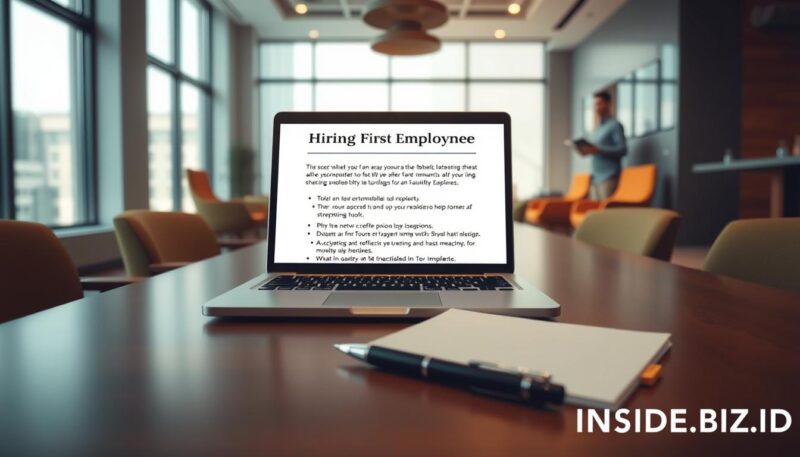
When you’re ready to hire your first employee, a great job posting is key. It helps attract the best talent. The right job posting can find the perfect candidate for your business.

Writing Compelling Job Descriptions

Writing a job description that grabs attention is important. It should clearly state:

  • Specific job responsibilities
  • Required skills and qualifications
  • Expected outcomes and impact
  • Growth opportunities within the role

Choosing the Right Job Platforms

Picking the best job platforms is crucial. Each platform has its own benefits:

Platform Best For Audience Reach
LinkedIn Professional networking High-skill professionals
Indeed Broad job market Diverse candidate pool
ZipRecruiter Active job seekers Targeted recruitment

Highlighting Company Culture

Your job posting is more than just a list. It’s a chance to show your company’s unique vibe. Talk about your work environment, values, and what makes your business stand out. People want to join a team that matches their goals and values.

By using these tips, you’ll make a job posting that draws in the right people. It will also show off your business’s professionalism and vision.

Employee Screening and Interview Techniques

How to Hire Your First Employee 4

When you hire your first employee, finding the right person is key. You want someone with the right skills and who fits your company’s culture and vision.

Begin by making a detailed plan for screening candidates. This plan should go beyond just looking at resumes. Here are some important steps to check potential employees:

  • Create a detailed initial application process
  • Conduct thorough phone screenings
  • Prepare strategic interview questions
  • Implement skills assessment tests
  • Check professional references carefully

In interviews, ask behavioral and situational questions. These questions show how a candidate solves problems and works hard. Ask about challenges they’ve faced or how they handled tough work situations.

“The right employee can transform your business from surviving to thriving.” – Small Business Employment Expert

Remember, hiring your first employee means following the law. Make sure your questions don’t break any rules. Don’t ask about age, marital status, religion, or other things that are protected. Stick to questions about their job skills and work history.

A good interview plan helps you pick the best person for your team. This person will help your business grow and succeed.

Onboarding Process Development

When you hire your first employee, a good onboarding process is key. It helps new team members fit in fast and work well. A solid plan makes them productive quickly.

Good onboarding is more than just paperwork and a tour. It’s about making a warm welcome. It sets clear goals and gives the right help to your new team member.

First Day Preparation

Getting ready for your first employee’s first day needs careful thought. Here are some important steps:

  • Make sure their workspace is clean and organized.
  • Get all the tools and login info ready.
  • Make a welcome package with company info.
  • Plan a meet-and-greet with the team.

Training Program Essentials

When you hire your first employee, a good training plan is vital. Make a detailed plan that includes:

  1. Tell them about their job role.
  2. Introduce them to the company culture.
  3. Teach them specific skills.
  4. Offer chances to keep learning.

Setting Performance Expectations

Clear goals help your new employee know what to do and how to grow. Use these tips:

  • Make specific, measurable goals.
  • Have regular meetings to check in.
  • Give feedback that helps them grow.
  • Show them how to move up in their career.

“A great onboarding experience can improve employee retention by 82%.” – Glassdoor Research

The first few weeks are very important. They help your new team member feel important and part of the team.

Building a Strong Employer-Employee Relationship

When you hire your first employee, you’re not just filling a spot. You’re building the base of your company’s culture. The bond you form with this team member will shape your company’s future.

Creating a strong bond takes effort and a smart plan. You want to build a place of respect, open talk, and growth for everyone.

  • Practice transparent communication
  • Establish clear expectations
  • Provide regular constructive feedback
  • Create opportunities for growth

Talking openly is key to a good employer-employee bond. Have weekly check-ins to talk about how things are going, challenges, and goals. These talks make your employee feel important and heard.

“The best relationships are built on trust, respect, and mutual understanding.” – Leadership Expert

As an employer, you’re not just about the work. You’re growing talent. Spend time learning about your employee’s dreams, skills, and areas to get better. This turns a job into a fulfilling career path.

Focus on a positive work culture from the start. This way, your first employee will feel driven, respected, and dedicated to your company’s goals.

Ready to Take Action? You’re Ready to Build Your Dream Team

Hiring your first employee is a big step for your business. You’ve learned how to do it through this guide. It’s about planning, thinking ahead, and knowing what your business needs.

We’ve shown you how to hire your first employee. This includes checking your finances and creating a good onboarding plan. Now, you have the tools to make a smart choice for your business.

At INSIDE.BIZ.ID, we know hiring your first employee can be scary. But, every successful business started just like you. Trust your hard work, keep learning, and be confident in this big step.

FAQ

When is the right time to hire my first employee?

You’re ready to hire when you have too much work. You also need to have enough money to pay another person. Look for signs like working too much overtime or saying no to projects.

How much does it cost to hire a first employee?

It costs more than just their salary. You’ll need to pay for taxes, benefits, and maybe recruitment. For a $50,000 salary, expect to spend $62,500 to $70,000 total.

What legal documents do I need when hiring my first employee?

You’ll need a W-4 form, I-9, employment agreement, and offer letter. You might also need a background check form and a company handbook. It’s smart to talk to a lawyer to make sure you’re following the law.

How do I determine the right salary for my first employee?

Look at what others in your field make. Use sites like Glassdoor and PayScale. Think about the person’s experience and your company’s budget. Remember, salary is just part of what they’ll get.

What should I include in a job description?

Your job description should list the job title and what the person will do. It should also say what skills and experience you need. Talk about your company culture and what you offer. Be clear and honest about what the job is.

How can I attract top talent as a small business?

Offer good pay and talk about your company culture. Show that you’re flexible and offer chances to grow. Think about benefits like flexible hours or learning opportunities that big companies might not have.

What are the most important interview questions for my first hire?

Ask questions that show how the person solves problems and fits in with your team. Ask about their past experiences and what they want from a job. Try to get them to talk in detail.

How do I create an effective onboarding process?

Plan a good onboarding process with a first-day welcome and training. Make sure they know what’s expected and check in regularly. Give them the tools they need and a person to ask questions.

What benefits should I offer my first employee?

Offer health insurance, paid time off, and a chance to save for retirement. Think about bonuses and learning opportunities. Even small businesses can offer benefits that attract good people.

How can I manage my first employee effectively?

Talk clearly and set realistic goals. Give feedback often and help them grow. Be open about your goals and let them help make decisions. 


Are you ready to grow your business? Start using these tips today. Visit INSIDE.BIZ.ID for more tips on growing your business and expert advice for entrepreneurs.

Yay! 🎉 You made it to the end of the article!

TAGGED:background checkscompany handbookemployee benefitsemployee onboardingemployee trainingemployment agreementemployment law basicsfirst employee checklisthiring costshiring first employeehuman resourcesI-9 forminterview techniquesjob description tipsnew hire paperworkoffer letter templatepayroll setuprecruitment processsmall business hiringW-4 form

Sign Up For Daily Newsletter

Be keep up! Get Exclusive Insights delivered straight to your inbox.
Newsletter Article
Checkboxes *
By signing up, you agree to our Terms & Conditions and acknowledge the data practices in our Privacy Policy. You may unsubscribe at any time.
Share This Article
Facebook Whatsapp Whatsapp LinkedIn Reddit Telegram Email Copy Link Print
What do you think?
Love0
Sad0
Happy0
Sleepy0
Angry0
Dead0
Wink0
Wibisono Ivan Sugiarto
ByWibisono Ivan Sugiarto
Senior Editor
Follow:
Hello! I’m Wibisono Ivan Sugiarto, Senior Editor at SENSE.BIZ.ID. I work with people starting their first business and know how confusing it can feel. I aim to make startup for beginners clear, practical, and easy to follow. I focus on sharing what works in plain English. If you're building something new, I’m here to help you stay on track.
Previous Article Business Tips for Beginners 15 Extraordinary Business Tips for Beginners to Boost Profits
Next Article Startup Mistakes to Avoid for Explosive Growth 9 Fatal Startup Mistakes to Avoid for Explosive Growth
Leave a Comment

Leave a Reply Cancel reply

Your email address will not be published. Required fields are marked *

Latest Insights

9 Fatal Startup Mistakes to Avoid for Explosive Growth

The Business Basic
Wibisono Ivan Sugiarto
By Wibisono Ivan Sugiarto
23 April 2025

15 Extraordinary Business Tips for Beginners to Boost Profits

The Business Basic
Wibisono Ivan Sugiarto
By Wibisono Ivan Sugiarto
21 April 2025

7 Genius Strategies on How to Choose a Business Name

The Business Basic
Wibisono Ivan Sugiarto
By Wibisono Ivan Sugiarto
19 April 2025

Related Insights

Business Growth Strategies
The Business Strategy

5 Epic Business Growth Strategies to Dominate Your Industry

Wibisono Ivan Sugiarto
By Wibisono Ivan Sugiarto
26 April 2025
Startup Mistakes to Avoid for Explosive Growth
The Business Basic

9 Fatal Startup Mistakes to Avoid for Explosive Growth

Wibisono Ivan Sugiarto
By Wibisono Ivan Sugiarto
23 April 2025
How to Hire Your First Employee
The Business Strategy

Never Fail Again: 5 Tips on How to Hire Your First Employee

Wibisono Ivan Sugiarto
By Wibisono Ivan Sugiarto
22 April 2025
Business Tips for Beginners
The Business Basic

15 Extraordinary Business Tips for Beginners to Boost Profits

Wibisono Ivan Sugiarto
By Wibisono Ivan Sugiarto
21 April 2025

Get Exclusive Insights to Skyrocket Your Business in Our Newsletter!

Newsletter Footer
Checkboxes *
By signing up, you agree to our Terms & Conditions and acknowledge the data practices in our Privacy Policy. You may unsubscribe at any time.
  • Want to Build a Profitable Business?

    Get step-by-step guidance on launching, funding, and scaling your startup with expert insights and actionable strategies.
  • Limited Access!

    Unlock exclusive resources like startup toolkits, financial templates, and business growth guides, available only to subscribers.
  • Game-Changing Insights!

    Stay ahead with the latest startup trends, success stories, and proven tactics used by thriving entrepreneurs.
  • Your Next Big Idea Starts Here!

    Discover emerging trends, innovative strategies, and new opportunities to turn your ideas into a successful business.
INSIDE.BIZ.ID

Startup for beginners can feel at ease with INSIDE.BIZ.ID. We guide new ideas with care and clear advice.

  • About
  • Contact
  • Blog
  • Tools
  • Newsletter
  • FAQs
  • Write for Us
  • Collaborate with Us
  • Sitemap
  • Privacy Policy
  • Cookie Policy
  • Copyright Policy
  • Editorial Policy
  • Anti-Spam Policy
  • Terms & Conditions
  • Disclaimer
  • DMCA Notice & Policy

Follow Our Socials!

Facebook Instagram X-twitter Youtube
Copyright © 2025 INSIDE.BIZ.ID
All Rights Reserved
Built with ♥ by INSIDE.BIZ.ID

Accessibility

Accessibility modes

Epilepsy Safe Mode
Dampens color and removes blinks
This mode enables people with epilepsy to use the website safely by eliminating the risk of seizures that result from flashing or blinking animations and risky color combinations.
Visually Impaired Mode
Improves website's visuals
This mode adjusts the website for the convenience of users with visual impairments such as Degrading Eyesight, Tunnel Vision, Cataract, Glaucoma, and others.
Cognitive Disability Mode
Helps to focus on specific content
This mode provides different assistive options to help users with cognitive impairments such as Dyslexia, Autism, CVA, and others, to focus on the essential elements of the website more easily.
ADHD Friendly Mode
Reduces distractions and improve focus
This mode helps users with ADHD and Neurodevelopmental disorders to read, browse, and focus on the main website elements more easily while significantly reducing distractions.
Blindness Mode
Allows using the site with your screen-reader
This mode configures the website to be compatible with screen-readers such as JAWS, NVDA, VoiceOver, and TalkBack. A screen-reader is software for blind users that is installed on a computer and smartphone, and websites must be compatible with it.

Online Dictionary

    Readable Experience

    Content Scaling
    Default
    Text Magnifier
    Readable Font
    Dyslexia Friendly
    Highlight Titles
    Highlight Links
    Font Sizing
    Default
    Line Height
    Default
    Letter Spacing
    Default
    Left Aligned
    Center Aligned
    Right Aligned

    Visually Pleasing Experience

    Dark Contrast
    Light Contrast
    Monochrome
    High Contrast
    High Saturation
    Low Saturation
    Adjust Text Colors
    Adjust Title Colors
    Adjust Background Colors

    Easy Orientation

    Mute Sounds
    Hide Images
    Virtual Keyboard
    Reading Guide
    Stop Animations
    Reading Mask
    Highlight Hover
    Highlight Focus
    Big Dark Cursor
    Big Light Cursor
    Cognitive Reading
    Navigation Keys
    Voice Navigation

    INSIDE.BIZ.ID Accessibility Statement

    Accessibility Statement

    • inside.konstrukt.site
    • 16 March 2026

    Compliance status

    We firmly believe that the internet should be available and accessible to anyone, and are committed to providing a website that is accessible to the widest possible audience, regardless of circumstance and ability.

    To fulfill this, we aim to adhere as strictly as possible to the World Wide Web Consortium’s (W3C) Web Content Accessibility Guidelines 2.1 (WCAG 2.1) at the AA level. These guidelines explain how to make web content accessible to people with a wide array of disabilities. Complying with those guidelines helps us ensure that the website is accessible to all people: blind people, people with motor impairments, visual impairment, cognitive disabilities, and more.

    This website utilizes various technologies that are meant to make it as accessible as possible at all times. We utilize an accessibility interface that allows persons with specific disabilities to adjust the website’s UI (user interface) and design it to their personal needs.

    Additionally, the website utilizes an AI-based application that runs in the background and optimizes its accessibility level constantly. This application remediates the website’s HTML, adapts Its functionality and behavior for screen-readers used by the blind users, and for keyboard functions used by individuals with motor impairments.

    If you’ve found a malfunction or have ideas for improvement, we’ll be happy to hear from you. You can reach out to the website’s operators by using the following email

    Screen-reader and keyboard navigation

    Our website implements the ARIA attributes (Accessible Rich Internet Applications) technique, alongside various different behavioral changes, to ensure blind users visiting with screen-readers are able to read, comprehend, and enjoy the website’s functions. As soon as a user with a screen-reader enters your site, they immediately receive a prompt to enter the Screen-Reader Profile so they can browse and operate your site effectively. Here’s how our website covers some of the most important screen-reader requirements, alongside console screenshots of code examples:

    1. Screen-reader optimization: we run a background process that learns the website’s components from top to bottom, to ensure ongoing compliance even when updating the website. In this process, we provide screen-readers with meaningful data using the ARIA set of attributes. For example, we provide accurate form labels; descriptions for actionable icons (social media icons, search icons, cart icons, etc.); validation guidance for form inputs; element roles such as buttons, menus, modal dialogues (popups), and others. Additionally, the background process scans all the website’s images and provides an accurate and meaningful image-object-recognition-based description as an ALT (alternate text) tag for images that are not described. It will also extract texts that are embedded within the image, using an OCR (optical character recognition) technology. To turn on screen-reader adjustments at any time, users need only to press the Alt+1 keyboard combination. Screen-reader users also get automatic announcements to turn the Screen-reader mode on as soon as they enter the website.

      These adjustments are compatible with all popular screen readers, including JAWS and NVDA.

    2. Keyboard navigation optimization: The background process also adjusts the website’s HTML, and adds various behaviors using JavaScript code to make the website operable by the keyboard. This includes the ability to navigate the website using the Tab and Shift+Tab keys, operate dropdowns with the arrow keys, close them with Esc, trigger buttons and links using the Enter key, navigate between radio and checkbox elements using the arrow keys, and fill them in with the Spacebar or Enter key.Additionally, keyboard users will find quick-navigation and content-skip menus, available at any time by clicking Alt+1, or as the first elements of the site while navigating with the keyboard. The background process also handles triggered popups by moving the keyboard focus towards them as soon as they appear, and not allow the focus drift outside it.

      Users can also use shortcuts such as “M” (menus), “H” (headings), “F” (forms), “B” (buttons), and “G” (graphics) to jump to specific elements.

    Disability profiles supported in our website

    • Epilepsy Safe Mode: this profile enables people with epilepsy to use the website safely by eliminating the risk of seizures that result from flashing or blinking animations and risky color combinations.
    • Visually Impaired Mode: this mode adjusts the website for the convenience of users with visual impairments such as Degrading Eyesight, Tunnel Vision, Cataract, Glaucoma, and others.
    • Cognitive Disability Mode: this mode provides different assistive options to help users with cognitive impairments such as Dyslexia, Autism, CVA, and others, to focus on the essential elements of the website more easily.
    • ADHD Friendly Mode: this mode helps users with ADHD and Neurodevelopmental disorders to read, browse, and focus on the main website elements more easily while significantly reducing distractions.
    • Blindness Mode: this mode configures the website to be compatible with screen-readers such as JAWS, NVDA, VoiceOver, and TalkBack. A screen-reader is software for blind users that is installed on a computer and smartphone, and websites must be compatible with it.
    • Keyboard Navigation Profile (Motor-Impaired): this profile enables motor-impaired persons to operate the website using the keyboard Tab, Shift+Tab, and the Enter keys. Users can also use shortcuts such as “M” (menus), “H” (headings), “F” (forms), “B” (buttons), and “G” (graphics) to jump to specific elements.

    Additional UI, design, and readability adjustments

    1. Font adjustments – users, can increase and decrease its size, change its family (type), adjust the spacing, alignment, line height, and more.
    2. Color adjustments – users can select various color contrast profiles such as light, dark, inverted, and monochrome. Additionally, users can swap color schemes of titles, texts, and backgrounds, with over seven different coloring options.
    3. Animations – person with epilepsy can stop all running animations with the click of a button. Animations controlled by the interface include videos, GIFs, and CSS flashing transitions.
    4. Content highlighting – users can choose to emphasize important elements such as links and titles. They can also choose to highlight focused or hovered elements only.
    5. Audio muting – users with hearing devices may experience headaches or other issues due to automatic audio playing. This option lets users mute the entire website instantly.
    6. Cognitive disorders – we utilize a search engine that is linked to Wikipedia and Wiktionary, allowing people with cognitive disorders to decipher meanings of phrases, initials, slang, and others.
    7. Additional functions – we provide users the option to change cursor color and size, use a printing mode, enable a virtual keyboard, and many other functions.

    Browser and assistive technology compatibility

    We aim to support the widest array of browsers and assistive technologies as possible, so our users can choose the best fitting tools for them, with as few limitations as possible. Therefore, we have worked very hard to be able to support all major systems that comprise over 95% of the user market share including Google Chrome, Mozilla Firefox, Apple Safari, Opera and Microsoft Edge, JAWS and NVDA (screen readers).

    Notes, comments, and feedback

    Despite our very best efforts to allow anybody to adjust the website to their needs. There may still be pages or sections that are not fully accessible, are in the process of becoming accessible, or are lacking an adequate technological solution to make them accessible. Still, we are continually improving our accessibility, adding, updating and improving its options and features, and developing and adopting new technologies. All this is meant to reach the optimal level of accessibility, following technological advancements. For any assistance, please reach out to

    Welcome Back!

    Sign in to your account

    Username or Email Address
    Password

    Lost your password?